Creative Nerds |

| How To Create A HDR Photo Effect In Photoshop Posted: 22 Jul 2012 05:00 PM PDT
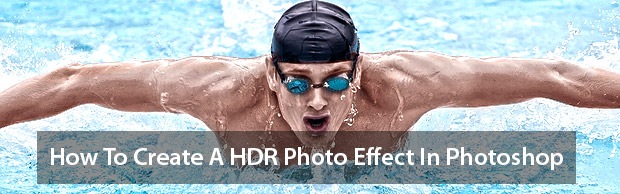
In this tutorial we are going to share with you upon how to apply a high dynamic range (HDR) effect to your photos. This technique is easy to achieve using an new filter available in Photoshop CS6 and Photoshop CS 5.5. There’s so many ways which you can make a HDR photo effect, but this has to be the easiest method, and produces the best results. What is HDR ?High dynamic range (HDR) this technique is usually manipulated by photo editing software, or captured by a camera. The effect simply is a greater dynamic range of light and dark within the areas within an image, HDR images represent the in intensity and finer detail in a photography. We thought it would be a good idea to put the tutorial in the form of a screencast, in order to make the tutorial even easier to follow. Sit back and enjoy the the tutorial. I would love to hear your thoughts on the quick tip in the comments below. Tutorial Details:Difficulty: Beginner – The tutorial is aimed at beginners, even if you’re not familiar with photoshop you will be capable of completing this tutorial. Resources need:We used a stock from Big Stock Photo which you can purchase from their site, or alternatively used any other stock photos of your choice.
Preview
The Tutorial:Thirsty for more quick tips ?Check out our YouTube channel, and subscribe to never miss another tutorial  |


| You are subscribed to email updates from Creative Nerds To stop receiving these emails, you may unsubscribe now. | Email delivery powered by Google |
| Google Inc., 20 West Kinzie, Chicago IL USA 60610 | |

Niciun comentariu:
Trimiteți un comentariu